
How To Access and Activate NSS Pin Codes
This article presents How To Access and Activate NSS Pin Codes for final year students from all accredited tertiary institutions in Ghana to enable them to register for their mandatory national service for the service year.. The official statement reads:
Related Posts
- Posting To Preferred Institution For National Service Without Paying
- Solution To NSS Pincode, Registration Problems And NSS Contact Details
- How To Access and Activate NSS Pin Codes
- How To Check Your National Service Posting / Pacement
- How To Print Your National Service Appointment Letter
- How To Schedule Appointment For NSS Biometric Registration And Validation
- How To Access Your National Service Dashboard
- NSS Registration Closing Date And Contact Details
- Apply For Scholarship In Ghana And Abroad Using Government’s Online Application Process
- Ghana Passport Application Procedures And All Details: Updated
Table of Contents
How To Access and Activate NSS Pin Codes
Here is how to access and activate your NSS pincodes:
- To start the NSS registration, you would need to generate your national service pin code and make payment on the national service portal for it to be activated. To do that go to portal.nss.gov.gh/check-pin. Or go to portal.nss.gov.gh and click on the “Check And Pay For Pincode” Button.
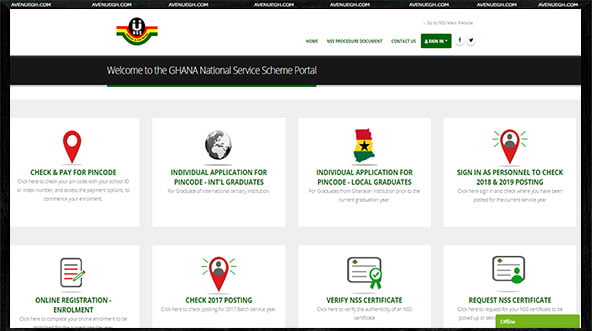
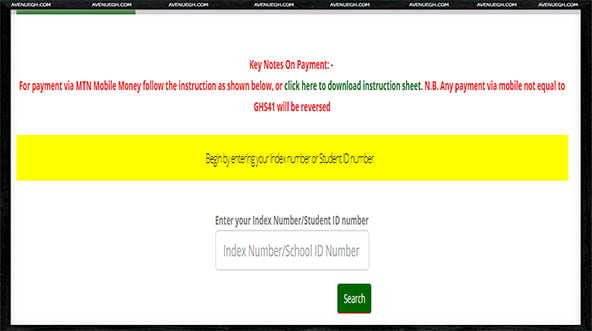
- Enter your index number and and your date of birth in the provided fields and click the “Search” button to generate your pin.
- Your pin code summary page would show up, Containing your pin code and your personal details.
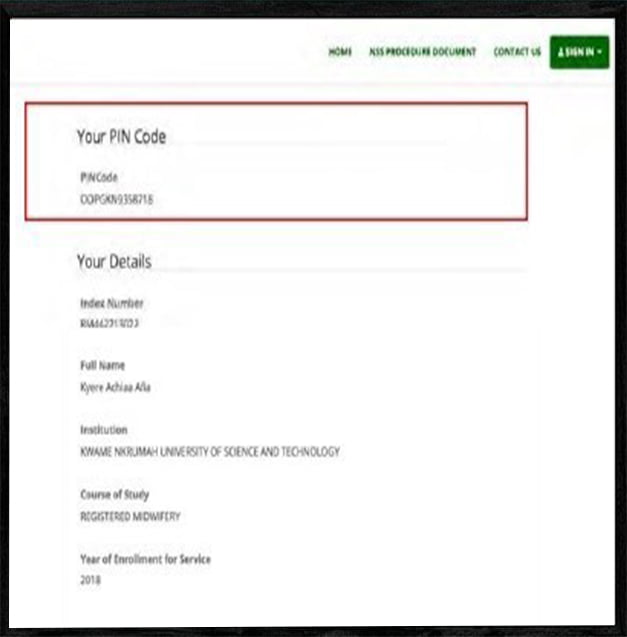
- Afterwards, Write down the pin code that is generated, as you would use it to make payment before entering the registration page. The number might be something like this GMYGCW793418. There would be an option to choose payment option, where you would have to select the network you are on eg MTN, afterwards enter your number that is registered on mobile money. The Mobile Money payment might look like below: a screen like this would pop up on your phone for you to confirm payment:
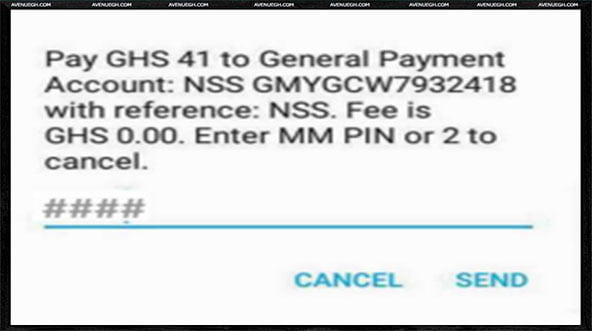
- Just enter your mobile money pin to pay. It was 41 cedis as of the 2018/2019 academic year. You would see a payment confirmation and receive SMS confirming payment.
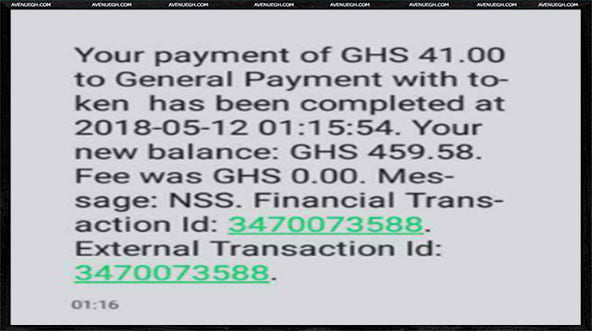
- Your pin code is now activated for registration.
- There are two other options by which you can activate your pin code after checking it, the first option is to proceed to any branch of ADB Bank Ltd. throughout the country to make payment of an amount of GHC 40.00 or GHC 41.00 to activate your pin code. The second option is using MTN Mobile Money to activate your pin code, follow this guide to activate your pin code on mobile money: How To Pay for NSS Pincode On MTN
How To Check And Activate NSS Pin Code On Phone
- To begin the process Dial *170#
- Then Select Option 2 ie “Pay Bill”
- Then Choose General Payments (Option 6)
- Afterwards Enter Payment code as by the following format– NSS PINCODE (type NSS, put a space, then type your PINCODE). The menu will then show your name for confirmation.
- Then Enter the amount to make payment (GH¢41.00).
- Then Enter NSS reference
- Then Enter your mobile money PIN to confirm payment
- If the transaction is successful, You will receive a message to confirm transaction
Conclusion
For a complete guide on the entire national service procedures, from registration, to earning your monthly allowance, to receiving your national service certificate. Check the most concise guide you will ever find anywhere, below.
Read Also
- Posting To Preferred Institution For National Service Without Paying.
- Online Ghana National Service Registration Guide
- Ghana National Service : Biometric Registration And Placement
- National Service Certificate Request Procedures
- How To Access and Activate NSS Pin Codes
- Ghana Passport Application Procedures And All Details: Updated





I am a student of UEW-Ajumako campus. Anytime that l enter my student’s ID and my date of birth; the system will say incorrect meanwhile it’s the same information that is in the list of the school provided to NSS. Please, please any help. I last call the National NSS office and my advice was to check the the school provided, l checked the same information and the same response from the system.
I have already paid for the pincode activation but I can’t do the registration
Please my pincode is on hold, but I paid and received my ID number and I was also varified successful, but I don’t know why it reappear on hold.
Please am finding it difficult to activate and pay for my PIN code, anytime I enter the day it will come 2014 instead of 14